
Autolink Pro
凌阳成芯科技(成都)有限公司Auto & Vehicles
3.472.00 Reviews
- Version
- 1.0.36
- Installs
- 100.00K
- Age Rating
- Everyone
Screenshots
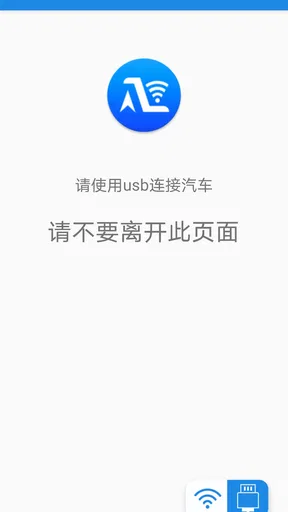
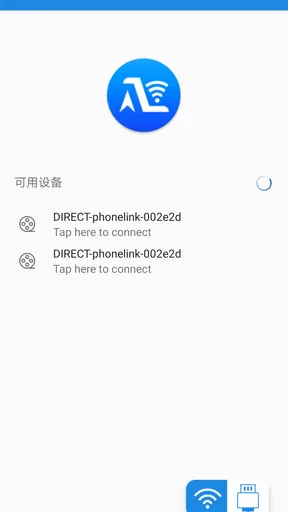
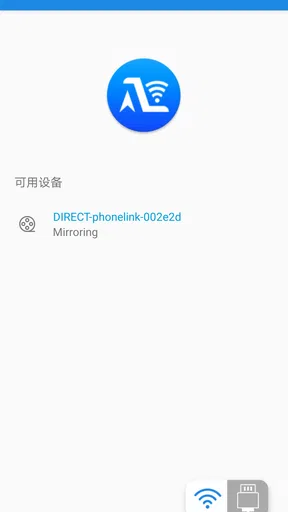
Our Review of Autolink Pro
 Analysis by Appyee
When I look at Autolink Pro, I see a focused utility rather than a complete driving platform. Its central idea is simple: bring a vehicle and a mobile phone into the same working experience. That sounds modest, but it matters when the phone is the device I already use for navigation, calls, music, and daily communication. Instead of treating the car and phone as separate tools, the app is designed around their connection.
I tested it with that practical question in mind: does linking a phone to a vehicle make ordinary trips easier, or does it simply add another layer of setup? My answer is mixed but useful. The app can be valuable when the vehicle is compatible and the connection behaves as expected. It is much less appealing if I want a polished, universal replacement for the familiar phone-based driving tools.
It is a free app in the Auto & Vehicles category, intended for Everyone. The developer is 凌阳成芯科技(成都)有限公司, and the current release is version 1.0.36. It has passed the early trial stage, with over one hundred thousand installs, although its average rating sits at 3.4 from roughly nine hundred ratings. That combination tells me to approach it with realistic expectations: enough people use it to make the project worth considering, but the experience is not universally smooth.
What the vehicle-and-phone connection really changes
I judge a vehicle-and-phone link by what it changes in the moments before and during a trip, not by how impressive the setup sounds. The useful test is whether it reduces handling without making me depend on a connection I have not checked. That distinction leads naturally to the practical question of how the app fits into a driver’s everyday routine.
The useful capability is shared access, not another standalone phone app
The strongest part of Autolink Pro is the relationship between the handset and the vehicle. I would not install it simply to gain another place to open a phone feature. The reason to use it is that the car becomes part of the workflow. The phone supplies the familiar mobile environment, while the vehicle provides the setting in which that information is meant to be used.
That distinction is important. Many driving apps are built to work independently on a screen held in the hand or mounted on the dashboard. Autolink Pro is aimed at a different moment: I prepare something on the phone, establish the connection, and then use the result through the vehicle setup. The benefit is less about adding a new destination and more about reducing the separation between the device I carry and the car I drive.
In everyday terms, this can make sense for someone who changes between vehicles or who does not want to rebuild the same phone setup every time a journey begins. It can also be useful when the vehicle is already designed to cooperate with a mobile device and I want one app that handles that bridge. The app’s purpose is therefore narrow, but the narrowness is also its clearest strength.
The key question is compatibility before convenience. If my vehicle and phone do not cooperate properly, the app has little to offer. A conventional navigation app, a standard Bluetooth connection, or the vehicle manufacturer’s own software may be a better answer. Autolink Pro becomes interesting only when its particular connection method fits the car I actually use.
Why this approach can be better than relying on the phone alone
A phone-only setup is familiar and flexible. I can install a navigation app, connect audio separately, and keep everything under my own control. That approach usually wins when I drive different cars, need broad app support, or want to avoid learning a vehicle-specific system.
The connected approach has a different advantage. It can make the phone feel less like a loose object in the cabin and more like part of the vehicle’s information system. That may reduce the number of times I need to pick up the handset before setting off. Even a small reduction in handling matters when the goal is calmer, less distracting driving.
Still, I would not confuse integration with completeness. Autolink Pro is not automatically better than a phone mount or a built-in vehicle interface. Its value depends on how much friction the connection removes. If I still have to repeat setup steps, switch between unrelated systems, or troubleshoot recognition on every trip, the theoretical advantage disappears.
How I would prepare it before the first drive
I would begin at home or while parked, not during a journey. The first step is to install the app on a compatible Android device running at least Android 5.0, then inspect the vehicle’s available connection process. The app is not something I would casually configure while moving, because the whole point is to make the later driving experience simpler and safer.
Next, I would keep the phone unlocked and close to the vehicle while checking whether the car recognizes the connection. If the first attempt fails, I would restart the process in a calm order: close the app, disconnect any competing phone connection, restart the vehicle interface if necessary, and try again while stationary. That sequence is more useful than repeatedly tapping the same button and hoping the connection appears.
I would also decide what I actually need before testing. If my goal is navigation, I would prepare the route first. If I want phone-based media or communication, I would arrange those items before leaving. This avoids treating the app as a magic switch that organizes every part of a trip automatically. Its job is to connect the two sides; I still need to prepare the content I want to use.
What the experience feels like during an ordinary trip
Imagine a weekday drive to work. I am carrying the phone, the car is parked outside, and I need to leave without spending several minutes arranging screens and cables. With Autolink Pro already installed and the vehicle connection understood, I can prepare the phone before starting, place it where it will not become a distraction, and check that the vehicle has recognized the link.
Once the connection is active, the important improvement is continuity. I am not treating the phone as a completely separate object from the car. If the connection remains stable, the transition from preparation to driving feels more deliberate. I can focus on the road instead of holding the phone and improvising a setup after the engine is already running.
That scenario also shows the app’s limitation. The best experience depends on preparation. If I leave home late, use a different vehicle, or change phones, I may spend more time solving the connection than I would with a simple phone mount. This is why I see Autolink Pro as a routine tool rather than an emergency solution.
A practical routine that avoids most unnecessary friction
My preferred routine is short. I update the app when a new version is available, open it before entering traffic, confirm that the vehicle is detected, and only then begin the trip. I keep the phone’s battery comfortably charged and avoid pairing several unrelated devices at the same time. These are not glamorous tips, but they address the situations in which connected-car tools usually become frustrating.
I would also test the setup on a short familiar route before depending on it for a long journey. A ten-minute local drive reveals whether the vehicle reconnects reliably, whether the phone remains usable for the tasks I care about, and whether the arrangement creates more distraction than it removes. If the connection drops repeatedly on a short trip, I would not trust it for an unfamiliar route.
Another useful habit is to keep a fallback ready. I would know how to use the vehicle without the app and keep the ordinary phone-based option available when parked. That way, a failed connection is an inconvenience rather than a reason to delay a trip. The app works best as an added bridge, not as the only system I am willing to use.
Where it stands beside familiar alternatives
The usual alternative is a standard phone mount combined with the apps I already know. That option is more universal and often easier to understand. It does not require a particular vehicle relationship, and I can take the same arrangement into another car. For drivers who value portability above integration, the mount wins.
A built-in vehicle system is another competitor. It may look cleaner and feel more settled because it was designed around that car. If it already handles the phone functions I need, adding Autolink Pro may not improve anything. I would choose the built-in route when it offers dependable access and does not force me into repeated setup.
Autolink Pro makes the most sense between those two choices. It is more vehicle-aware than a completely independent phone app, but potentially more flexible than a fixed dashboard system. That middle position is useful for people whose cars support the connection but whose daily habits still revolve around the phone.
The best scenario is a compatible car used repeatedly
The strongest use case is a driver who uses the same compatible vehicle most days and wants a repeatable phone-to-car routine. A commuter, a household sharing one vehicle, or someone who regularly makes local trips can benefit because the setup has a chance to become familiar. Once the connection process is understood, the app’s narrow purpose becomes an advantage rather than a weakness.
It is also a reasonable choice for someone who dislikes holding a phone while driving but does not want to abandon phone-based tools completely. By preparing the phone before departure and using the vehicle connection as the handoff point, I can make the phone less intrusive. That does not replace safe driving habits, but it can support them when the system behaves consistently.
I would be more cautious for occasional renters, drivers with several incompatible vehicles, and people who expect every phone feature to appear inside the car automatically. Those users may spend too much time checking whether the app works in the current vehicle. In that situation, a universal mount or the car’s established interface is usually the less stressful choice.
The trade-off between integration and predictability
The main trade-off is clear: integration can reduce handling, but it introduces another dependency. I depend on the phone, the vehicle, the connection process, and the app all lining up. A phone mount has fewer moving parts. A built-in system may be more predictable in its own environment. Autolink Pro sits in the middle, offering a useful bridge only when the surrounding pieces agree.
The 3.4 average rating reinforces my cautious view. I would not read it as proof that the app is unusable, but I would take it as a reminder that connected experiences can vary from one setup to another. The app has around nine hundred ratings and seventy-two written reviews, enough to show that users have formed different impressions rather than one universally shared reaction.
There is also a learning cost. Even if the app itself is straightforward, the first successful connection may require patience. A person who expects to install it, sit down, and receive an instant vehicle interface could be disappointed. The right mindset is to treat the first session as configuration and the later sessions as routine use.
What I would check before committing to it
I would first confirm that my phone meets the minimum Android requirement and that the vehicle is intended to work with this kind of connection. I would then test it while parked, preferably with the phone and vehicle both restarted so that old connection attempts do not confuse the process. If I use another phone in the same car, I would test which device the vehicle recognizes first.
I would also ask myself whether I need a bridge at all. If the vehicle already gives me the functions I use, the app may add unnecessary complexity. If I only need a screen for navigation, a reliable mount may be simpler. If I want a repeatable connection between one phone and one compatible car, the app becomes more persuasive.
Because it is free, trying it does not require a purchase decision. That makes a short local test worthwhile, but free does not mean costless in time or attention. I would remove it if it creates repeated setup work, interrupts my normal driving routine, or makes me look at the phone more often than before.
Who gains the most from this focused design
I think the biggest beneficiaries are drivers who already have a compatible vehicle and want their phone to participate in the car experience without relying entirely on a loose handset. They are willing to spend a little time learning the connection and can keep a fallback for unusual trips. For them, the app can turn a scattered routine into a more consistent one.
It may also suit technically curious users who enjoy refining their vehicle setup. The useful insight is that the app should be judged by the quality of the handoff, not by how many independent features it appears to contain. If the handoff is quick and dependable, the focused design is sensible. If it is unreliable, no amount of extra phone preparation will make the experience feel polished.
I would skip it if I drive many different cars, use iOS rather than Android, or strongly prefer tools that work without vehicle-specific cooperation. I would also skip it if my current mount and built-in system already solve the problem cleanly. In those cases, Autolink Pro is likely to add a step instead of removing one.
My recommendation after weighing the everyday experience
Autolink Pro is worth a careful trial for the right driver, especially because it is free and built around a practical connection between a vehicle and a mobile phone. I like the idea more than I like the assumption that it will work perfectly everywhere. Its real strength appears when one compatible car and one regularly used phone form a stable routine.
I would install it before a planned short drive, configure it while parked, and keep a conventional alternative available. That approach gives the app a fair test without making the journey depend on it. If the connection becomes repeatable and reduces phone handling, it has earned a place in my driving setup. If it creates uncertainty, I would return to the simpler option without hesitation.
In the end, this is a specialized Auto & Vehicles app rather than a universal answer for every driver. 凌阳成芯科技(成都)有限公司 has built its experience around linking two devices that already matter during a trip. For users who need that bridge, it can be genuinely useful; for everyone else, the ordinary phone and car tools may remain the better choice.
Verdict
Strengths of Autolink Pro
- Supports hands-free access to calls, music, and navigation.
- Provides a familiar interface for compatible car infotainment systems.
- Can reduce phone handling while driving.
- Useful for accessing supported Android apps on a larger display.
- May improve convenience during daily commutes and road trips.
Limitations of Autolink Pro
- Requires a compatible vehicle or head unit to work properly.
- Feature availability can vary by phone, car, and operating system.
- Connection problems may occur with certain cables or wireless setups.
- Some advanced functions may require additional permissions or settings.
- Performance can depend on phone hardware and network connectivity.
Other Releases by 凌阳成芯科技(成都)有限公司
View All
Autolink
Auto & Vehicles3.1
Similar Picks in This Category
View All
Android Auto
Google LLC4.1

maxim — order a taxi & food
PT. SITO4.7

Штрафы ГИБДД: проверка с фото
Pays LLC – Штрафы ГИБДД4.7

Номерограм – проверка авто
Авто Ассист4.8

Дром Авто
Дром4.9

Frequently Asked Questions
What is Autolink Pro and what can I use it for?
Autolink Pro is designed to connect a compatible smartphone with a vehicle’s infotainment system, allowing drivers to access selected phone features through the car display. Depending on the vehicle and phone, it may support navigation, music, hands-free calls, contacts, and notifications. Its exact functions can vary by car model, operating system, connection method, and the permissions granted during setup.
Is Autolink Pro compatible with my Android phone or iPhone?
Compatibility depends on the version of Autolink Pro, your mobile operating system, and the vehicle’s multimedia unit. Before downloading, check the app’s store listing and your car manufacturer’s compatibility information. Some vehicles require a specific USB cable, Bluetooth pairing, Wi-Fi connection, or a supported head unit. Even when a phone installs the app successfully, certain features may not be available on every vehicle.
How do I connect Autolink Pro to my car?
After installing Autolink Pro, enable the requested permissions and follow the connection instructions shown in the app. Depending on your setup, you may need to pair the phone through Bluetooth, connect it with a data-capable USB cable, or join the vehicle’s wireless network. Keep the car parked during setup and confirm that the infotainment system recognizes the phone before attempting to use navigation, calls, or media.
What permissions does Autolink Pro request, and are they necessary?
A connectivity app such as Autolink Pro may request access to Bluetooth, nearby devices, location, contacts, phone functions, notifications, microphone, or storage. These permissions can support pairing, hands-free calling, navigation, and media features, but not every permission is essential for every user. Review each request carefully, allow only what you need, and remember that restricting permissions may prevent particular features from working correctly.
Is Autolink Pro safe to use while driving, and does it require payment?
Autolink Pro should be used as a hands-free vehicle companion rather than as a reason to interact with your phone while driving. Complete setup before moving, use voice controls where available, and follow local road-safety laws. The app’s pricing, advertisements, subscriptions, or in-app purchases may depend on the current store version, so check the official listing before downloading and review any payment terms carefully.
